
Our Work/Case Study/Helpdesk / SaaS
OMX Support Console.
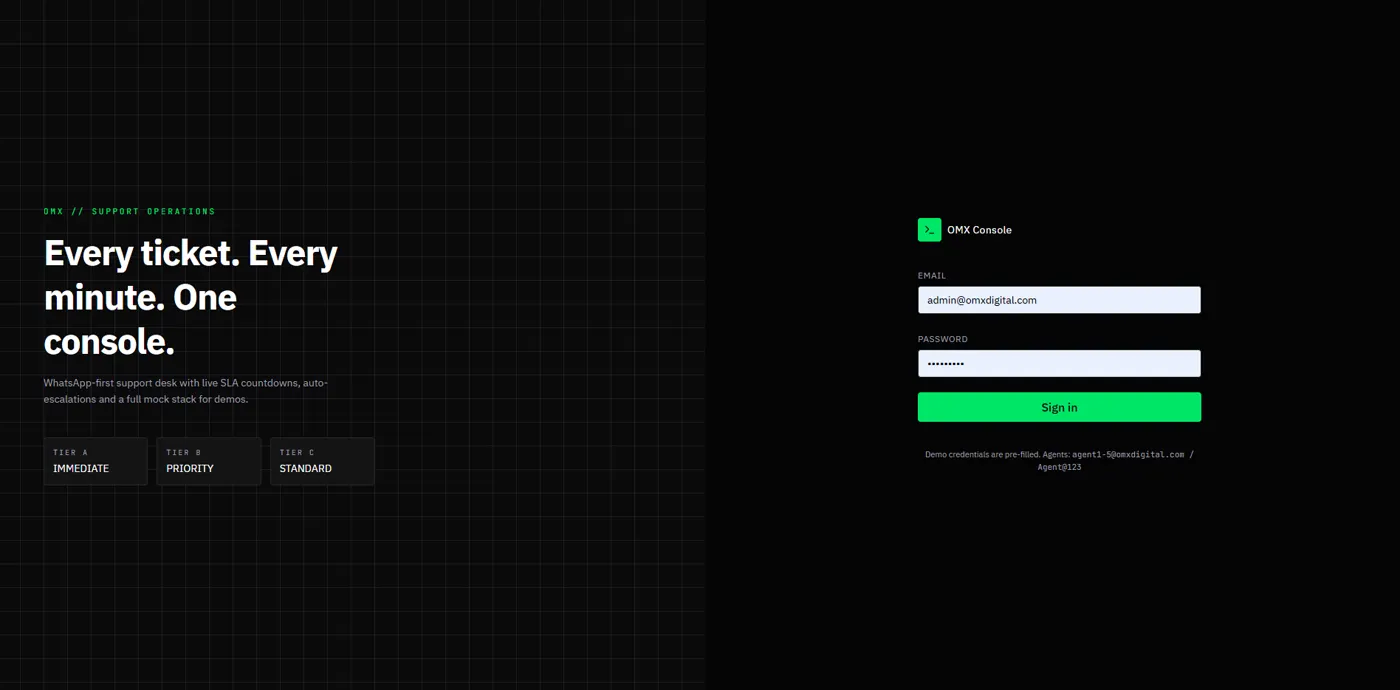
The support desk we built for our own clients. Customers raise tickets by chatting on WhatsApp; the console turns each chat into a ticket with a category, a tier and a live SLA countdown — and lets clients pay for faster help.
(01) — Summary
At a glance.
Our clients — and our own support team
Businesses running software we built, who need help fast, and the agents and admins who answer them.
Support requests arriving as random WhatsApp messages
No ticket number, no priority, no deadline — just chats on whoever's phone, and no way to tell urgent from routine.
A bot in front, a console behind
The WhatsApp bot collects everything a ticket needs; the console tracks it against an SLA until the client confirms it's fixed.
(02) — Background
Our clients already live on WhatsApp.
Asking a shop owner or factory manager to log into a helpdesk portal doesn't work. So the helpdesk had to come to WhatsApp.
“Hi, dashboard not working.” — sent to a developer's personal number at 9 pm. No ticket, no urgency, no record, and no idea who else on the team already knows.
Business on a subscription
Messages the support number, picks a category and tier, and follows the ticket in the same chat.
Support agent
Picks up assigned tickets, replies from the console and moves them through each status.
Support lead
Sees company-wide metrics, assigns work, and manages categories, holidays and the team.
Business owner
Tracks paid support — today, this week and this month.
(03) — The Problems
Why chat support breaks down.
The gaps in handling client support over plain WhatsApp.
No ticket, no trail
Issues reported in chats can't be numbered, assigned or looked up later.
Everything feels urgent
Without tiers, a typo on a website and a server outage get the same reply time.
Missing details
“It's not working” arrives without the client's name, company or what actually broke.
Deadlines nobody tracks
Promised response times live in contracts, not in front of the person answering.
Fast help given away free
Urgent, after-hours work is done without any way to charge for it.
Support for non-clients
Anyone with the number can ask for help, whether or not they have an active subscription.
(04) — Goals
What success looks like.
Every chat becomes a ticket
Numbered, categorised and complete before an agent sees it.
Urgency the client chooses
Immediate, priority or standard — each with its own SLA.
Pay for speed in the chat
Paid tiers settled with a payment link before work begins.
Deadlines in plain sight
Live SLA status — on track, at risk or breached — on every ticket.
Closed only when the client agrees
A resolution confirmed by the client, with a satisfaction score.
(05) — The Solution
A WhatsApp bot in front, a console behind.
The client talks to the bot; the team works the ticket; both see the same thread.
A bot that builds the ticket
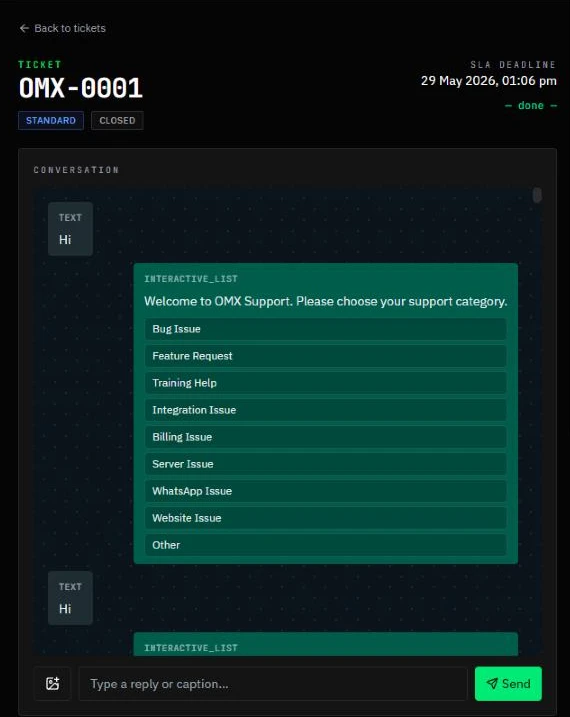
When a client says “Hi”, the bot reminds them the channel is for active subscribers, then offers nine categories — bug, feature request, training, integration, billing, server, WhatsApp, website or other. It asks for the tier, their name, their company and a description, then replies with a ticket number and SLA deadline.
- Interactive WhatsApp lists and buttons, no typing codes
- Ticket number and SLA deadline sent back instantly
- Every message kept on the ticket's conversation
Three tiers — and paid priority in the chat
Clients choose their urgency: Immediate, Priority or Standard. Standard is free. Priority costs ₹3,000: the client agrees to the terms with a button, receives a Razorpay payment link in the chat, and the ticket goes ahead once it's paid.
- “C. Standard — Free” and “B. Priority — ₹3000” as chat options
- Terms accepted with an I AGREE button before payment
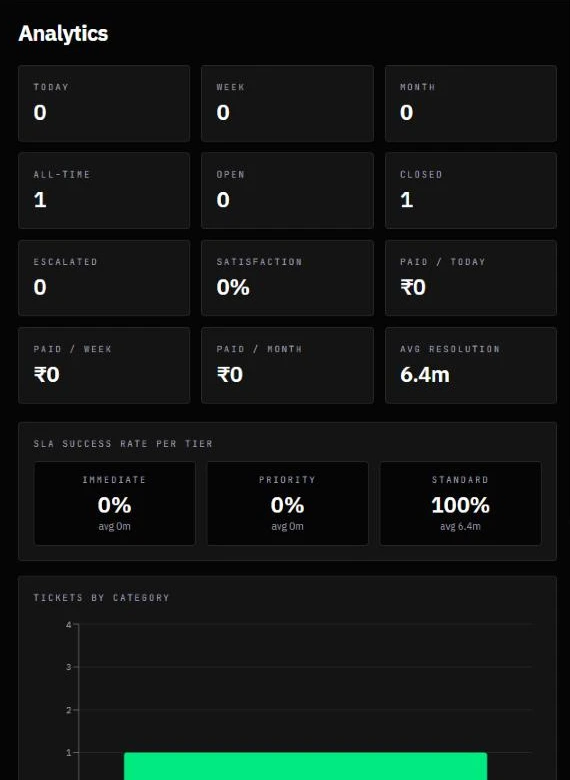
- Paid support tracked today, this week and this month
Every ticket against the clock
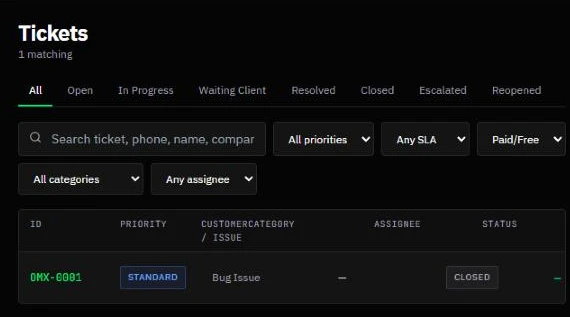
Tickets carry their tier and a live SLA status — on track, at risk or breached. Agents filter by status, priority, SLA, paid or free, category and assignee, and move each ticket from open to in progress, waiting for client, resolved and closed.
- Seven states, including escalated and reopened
- Search by ticket, phone, name or company
- Assignees and internal notes on every ticket
A desk the team configures itself
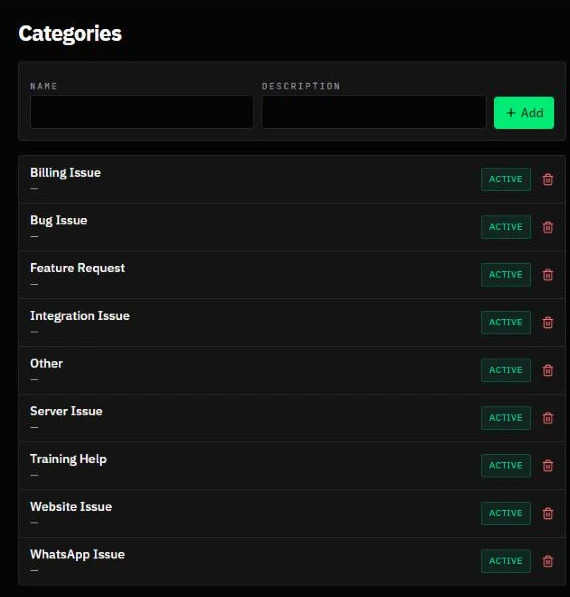
Admins add and retire the categories the bot offers, add regional holidays on top of the seeded national ones — SLA timers skip them for every tier — and manage agents and admins, all from the console.
- Categories edited without touching the bot
- 2026 Indian national holidays seeded
- Agent and admin roles
Updates in the chat
The client hears when the ticket is in progress, when more information is needed, and when it's resolved — and replies in the same thread.
Client-confirmed closing
Resolved tickets ask “Are you satisfied?” with a YES button; only then is the ticket closed, and satisfaction is measured.
Live dashboard
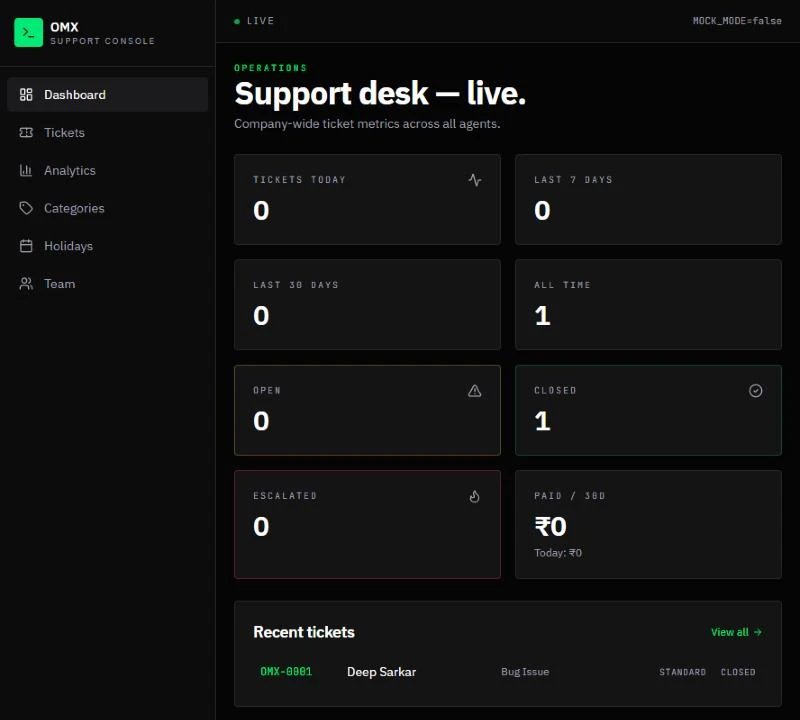
Tickets today, this week, this month and all time, with open, closed, escalated and paid figures across all agents.
(06) — How It Works
Chat in, ticket closed.
One WhatsApp thread carries a ticket from “Hi” to “Thanks!”.
The client never leaves WhatsApp, and the agent never leaves the console — but both are looking at the same ticket.
(07) — Design Decisions
Choices that make support sustainable.
Meet clients where they already are
A WhatsApp bot gets every detail a portal form would — without asking anyone to remember a login.
Let the client set the urgency
Choosing a tier, and paying for the faster ones, turns “everything is urgent” into an honest choice.
Count only working days
SLA timers skip holidays, so deadlines are fair to the team and still honest to the client.
The client decides it's fixed
A ticket closes only after the client taps YES — and that answer feeds the satisfaction score.
Built for ourselves first
The desk was made for OMX's own client support, so the bot and the console were shaped by the requests our own clients actually send.
(08) — Conclusion
From stray messages to one console.
Every support request numbered, prioritised, timed and closed with the client's agreement — all from the WhatsApp chat they were going to send anyway.
Gurugram · Plus Offices, Plot 65, Sector 44, Haryana 122003
Siliguri · Jewel Club Lane, Udham Singh Sarani - 734001